


Interactive Broadcasting: AR Overlays and Second-Screen UX for Live Events
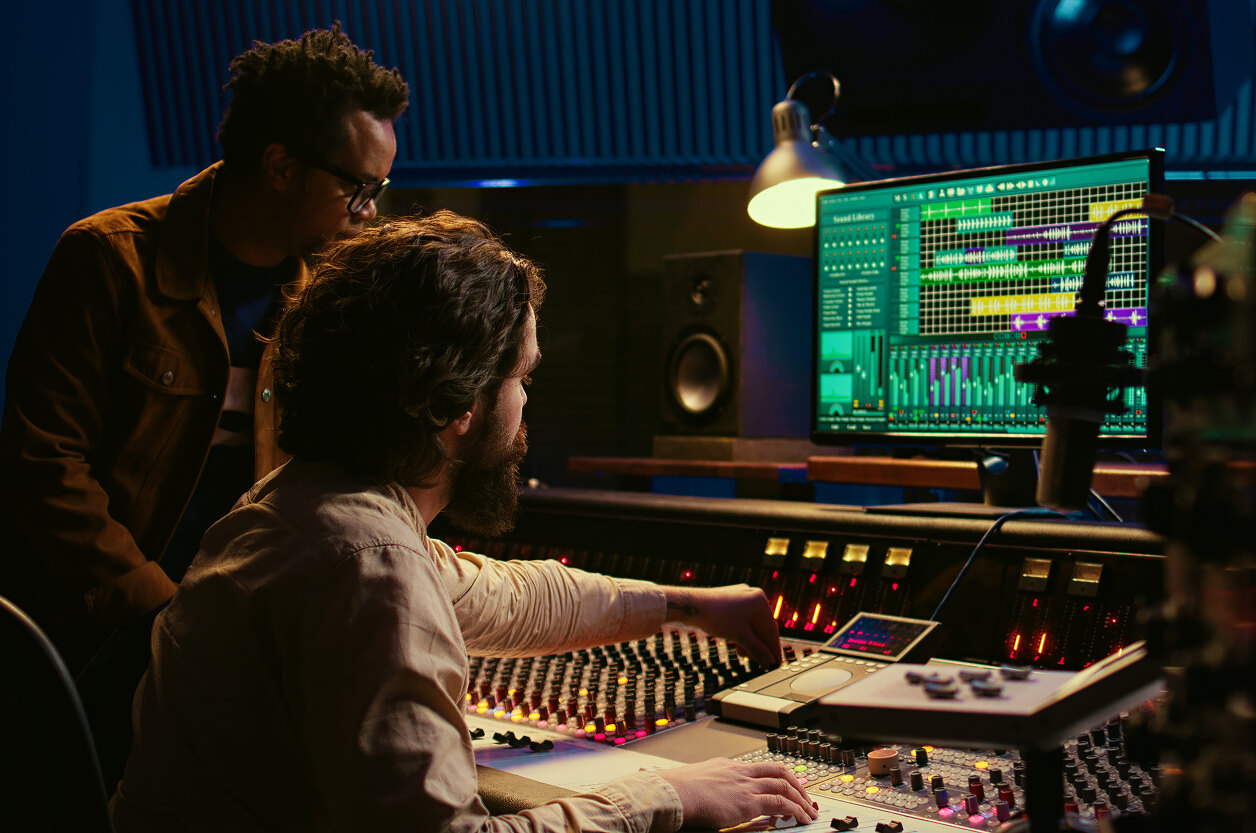
If you look at how people watch live sports or concerts today, it’s obvious that the “single screen, one-way broadcast” era is over. Fans don’t just sit in front of a TV anymore. They watch on a big screen, scroll social media on their phones, track fantasy stats, vote in polls, jump into chats, and rewind key moments — sometimes all at once.
Broadcast technology is catching up to that reality. Two trends are at the center of this shift:
- AR overlays that put live stats, graphics, and virtual objects directly into the broadcast or onto the field of play.
- Second-screen experiences that turn phones, tablets, and laptops into interactive companions for the main live event.
Together, they turn a live stream from something you watch into something you use. The market momentum behind this is strong: live events are increasingly treated as interactive products, not just linear content.
In this article, we’ll unpack what “interactive broadcasting” really means in practice, how AR overlays and second-screen UX fit together, and what kind of architecture you need to support them. We’ll also look at how engineering teams, including those at Promwad, can help broadcasters and vendors move from experimental features to reliable, production-grade systems.
1. From Passive Viewing to Interactive Products
For decades, broadcast UX was essentially fixed:
- One linear feed
- One graphics package
- Same experience for every viewer
That model worked when distribution was limited and feedback loops were slow. Today, the environment is completely different:
- Viewers are used to apps, not just channels.
- They expect personalization, not one-size-fits-all.
- Attention is fragmented across multiple screens.
- Networks and devices are fast enough to support real-time interactions almost anywhere.
Interactive broadcasting is an answer to that shift. It doesn’t replace the core live feed; it wraps it with extra layers of context and control so each viewer can consume it differently:
- The traditional fan may just see more helpful AR graphics in the main feed.
- The data-driven fan may open an app or web panel as a second screen to get deeper stats.
- Social fans may lean into watch parties, live chat, and polls.
The key idea: same underlying event, multiple UX surfaces.
2. What AR Overlays Actually Do in Live Broadcasts
AR overlays in broadcasting are no longer a gimmick; they’re slowly becoming part of the standard broadcast toolkit. When you see:
- A virtual first-down line in American football
- A heatmap of player movement floating above the pitch
- A 3D recreation of a goal or lap with time deltas
- Virtual ads blended into the field or track without hiding the action
— that’s AR in action.
2.1 Types of AR overlays
From a product and engineering point of view, it helps to think of AR overlays in a few categories.
- Informational overlays
Functional graphics that help viewers understand the game or event:- Live player stats and comparisons
- Win probabilities or advanced metrics
- Tactical diagrams, zones of control, racing lines
- On-screen prompts for polls or second-screen actions
- Live player stats and comparisons
- Spatial and field-level AR
AR elements locked to the physical scene:- Lines, zones, or markers on the field
- Virtual logos and 3D ads integrated into the stadium view
- “Ghost” visualization of previous laps or plays overlaid on current action
- Lines, zones, or markers on the field
- Immersive explainers and replays
Overlays that turn key moments into small stories:- 3D reconstruction of a goal or pit stop
- Freeze-and-annotate sequences for analysis
- AR storytelling segments in studio shows
- 3D reconstruction of a goal or pit stop
The trend is clear: AR is moving from occasional “wow moments” into a regular part of the visual language of live broadcasts.
2.2 Under the hood: what you need to run AR overlays
To put AR into a live environment reliably, you need far more than an engine that renders pretty graphics. A typical stack includes:
- Tracking and calibration
- Camera tracking: position, zoom, pan, tilt, lens distortion
- Field or stage calibration: mapping real-world coordinates to virtual space
- Optionally player or object tracking via sensors or computer vision
- Camera tracking: position, zoom, pan, tilt, lens distortion
- Real-time data feeds
- Score, clock, lineups, events (goals, cards, substitutions, laps, sectors)
- Telemetry such as speed, positions, or performance metrics
- Score, clock, lineups, events (goals, cards, substitutions, laps, sectors)
- Graphics and AR engine
- Real-time rendering with broadcast-safe latency
- Seamless integration with CG, replay, and playout systems
- Support for keying, masking, and rapid camera switching
- Real-time rendering with broadcast-safe latency
- Control tools for operators
- Interfaces to trigger overlays at the right moment
- Templates to reuse AR scenes across different matches or shows
- Logic to bind AR graphics to specific events (goal, penalty, lap completion, etc.)
- Interfaces to trigger overlays at the right moment
From an engineering perspective, AR is less about flashy visuals and more about synchronization. If tracking, data, and rendering are even slightly out of sync, the illusion breaks and the overlay becomes distracting instead of helpful.
3. Second-Screen UX: Turning Phones into Live Control Panels
While AR overlays live mostly on the primary screen (TV, projector, main OTT app), second-screen UX lives on the device in the viewer’s hand.
This second screen can be:
- A dedicated team or league app
- A broadcaster or OTT platform app
- A responsive web companion
- An embedded layer inside a social or messaging platform
The core idea is simple: the main screen shows the core event, and the second screen gives each viewer their own control surface for that event.
3.1 Common second-screen patterns
Typical second-screen interactions for live events include:
- Live stats panels
- Player stats, rankings, head-to-head comparison
- Shot maps, passing networks, sector splits
- Filters: “your team only”, “favorite player”, “fantasy lineup”
- Player stats, rankings, head-to-head comparison
- Alternative views and angles
- Tactical overhead camera
- Onboard cameras in motorsport or cycling
- Bench, coach, or backstage cameras
- Picture-in-picture highlights
- Tactical overhead camera
- Timeline and key moments
- Scrollable event timeline with jump-to-replay
- “Big moment” markers for goals, penalties, songs, speeches
- Scrollable event timeline with jump-to-replay
- Social and community features
- Live chat with moderation
- Watch parties with friends or influencers
- Quick reactions, clips, sharing tools
- Live chat with moderation
- Gamification and participation
- Polls, quizzes, prediction games
- Achievements and badges
- Sponsored challenges (e.g., predict the next scorer or lap time)
- Polls, quizzes, prediction games
All of these patterns rely on real-time sync between the live feed, data, and user interactions. A good second-screen experience feels like a cockpit: you stay in control without losing the main action.
3.2 How second screen and AR reinforce each other
AR overlays and second-screen UX work best when they’re designed together, not as separate add-ons.
Some realistic examples:
- The broadcast shows a minimal AR stat overlay; the second screen lets you expand it into a full analytics dashboard.
- Commentators mention a live poll; the second screen shows a voting widget at the same moment.
- A virtual ad appears on the pitch or court; the second screen offers an interactive version with a discount code, survey, or mini-game.
In other words, the main screen suggests, and the second screen lets the viewer act.
4. UX Design Principles for Interactive Broadcasting
Once you start layering AR and second-screen features on top of a live feed, the UX can easily become chaotic. A few practical principles help keep things coherent.
4.1 Don’t overload the main screen
AR overlays should support, not compete with, the core event. Some good heuristics:
- Keep the main feed clean during critical moments (goals, finishes, big solos).
- Use AR as short, focused visual highlights, not permanent clutter.
- Avoid stacking multiple dense overlays at once; deliver them as a sequence.
A common approach is to show a short AR explainer (for example, a quick heatmap after a goal) and then prompt curious viewers to “see more” on the second screen.
4.2 Give viewers control and personalization
Different viewers have different thresholds for information and visual noise. Some want cinematic, minimal feeds; others want dense tactical data.
Useful patterns:
- Modes: “standard”, “advanced stats”, “kids view”, “betting mode”, “coach view”.
- Preferences stored per user or per profile.
- The second screen as a control center where viewers pick what overlays they want to see, and to what depth.
Interactive broadcasts that don’t respect this need for control often feel forced or tiring.
4.3 Align latency across devices
Nothing kills second-screen engagement more quickly than desynchronization. When the app is ahead of the TV or vice versa, polls, chats, and overlays feel disconnected from what’s happening on screen.
Practical considerations:
- Keep OTT latency as predictable as possible across platforms.
- Use real-time messaging (WebSockets, pub/sub, similar) for interactions, not slow polling.
- Where possible, compensate for device-specific delays with small time offsets.
The goal is not absolute perfection, but a consistently tight enough sync that viewers feel they are interacting with this moment, not the previous one. In large-scale OTT environments, broadcasters typically aim for a latency alignment window of 1–2 seconds across HLS, DASH, and WebRTC variants.
Techniques such as CMS timestamp alignment, SCTE-104/35 markers, and standardized metadata feeds help maintain consistent synchronization even under CDN variation.
4.4 Design for accessibility and inclusivity
AR and second-screen features should not exclude part of your audience:
- Clear typography and high contrast on overlays
- Options to reduce motion, animations, or visual complexity
- Logical hierarchy in second-screen UI so users don’t get lost
- Good moderation tools to keep interactive chats and polls usable
Inclusive design is not just a compliance box; it also directly improves engagement and retention.
4.5 Account for device diversity
Another major challenge in interactive broadcasting is device diversity.
Different phones, tablets, and smart TVs use distinct rendering pipelines, GPU behavior, decoding paths, and refresh rates.
Interactive systems need adaptive buffering, dynamic timing offsets, and device-specific performance profiles to ensure consistent UX across heterogeneous hardware.
5. Architecture for Interactive Broadcasting: From Data to UX
Behind every clean AR overlay or smooth second-screen feature is a multi-layer architecture. At a high level, you can think of it in four parts.
5.1 Data acquisition and normalization
You need to ingest data from multiple sources and bring it into a coherent model:
- Official event data (score, time, lineups, penalties, outcomes)
- Tracking systems for players, cars, or performers
- Sponsorship and commercial data (campaigns, entitlements, targeting)
- Engagement data (poll results, reactions, chat events)
This data must be:
- time-stamped,
- normalized,
- enriched where needed,
- served through consistent APIs or streams.
Example workflow:
- event data → normalized JSON model → message bus → AR rendering engine → production switcher → main broadcast output
- engagement events → real-time gateway → personalization engine → second-screen UI
Both flows must remain deterministic, low-latency, and fully synchronized with live production.
5.2 Real-time transport and messaging
Interactive systems depend on a reliable, low-latency backbone that connects all components:
- message buses for event distribution,
- real-time gateways for apps and web frontends,
- scaling mechanisms for large concurrent audiences,
- edge nodes or regional POPs to reduce latency for in-stadium or remote fans.
This layer serves as the nervous system of interactive broadcasting.
5.3 Rendering and presentation engines
On the AR / primary screen side:
- real-time rendering engines for overlays and graphics,
- tight integration with production switchers and replay systems,
- support for camera switching without breaking overlay consistency.
On the second-screen side:
- native mobile apps, TV apps, or responsive web clients,
- efficient rendering for charts, maps, and 3D snippets where relevant,
- robust state management to keep UI responsive under load.
5.4 Control, authoring, and monitoring tools
Production and editorial teams need tooling to keep all of this manageable:
- authoring tools for overlay templates and UI modules,
- control panels to schedule or trigger AR segments and interactions,
- preview modes to validate graphics before they go live,
- dashboards for real-time monitoring of engagement and technical health.
This is where engineering partners like Promwad often enter the picture: designing and integrating the underlying hardware platforms, embedded systems, and edge nodes that make real-time graphics and data flows function reliably, and bridging these with cloud or on-prem orchestration.
6. Business Models and KPIs: Why Interactivity Matters
Interactive broadcasting is not just a UX or technology trend; it has clear commercial implications.
6.1 Monetization opportunities
Interactive features open several monetization angles:
- Virtual and AR ad inventory
- Branded virtual assets on the field or stage
- Sponsored AR segments and analysis
- Dynamic campaigns tied to specific teams, players, or locations
- Branded virtual assets on the field or stage
- Premium experiences
- Paid tiers with extra camera angles and analytics
- Exclusive interactive rooms or “VIP” second-screen modes
- Special features for betting, fantasy, or team memberships
- Paid tiers with extra camera angles and analytics
- Audience insights
- Fine-grained data about what fans click, watch, or ignore
- Better packaging of sponsorship based on real usage rather than assumptions
- Fine-grained data about what fans click, watch, or ignore
Well-designed interactive features increase both time spent and willingness to pay, especially for loyal fans.
6.2 Engagement and retention metrics
To measure whether an interactive strategy is working, broadcasters and platforms usually track:
- average watch time per user and session,
- peak concurrent viewers versus historical baselines,
- interaction rates (poll participation, toggles, views of additional angles),
- repeat usage of second-screen features across matches or shows,
- churn versus non-interactive broadcasts,
- social amplification (shares, clips, mentions).
Steady improvement in these metrics is a good sign that AR and second-screen experiences are adding real value, not just noise.
7. A Practical Maturity Model for Interactive Broadcasting
For broadcasters, leagues, or platforms, it’s usually unrealistic to jump straight into a fully personalized interactive product. A staged rollout often works better.
Stage 1: Enhanced graphics
- Improve base broadcast graphics and basic data integration.
- No heavy interactivity yet, beyond maybe a few on-air polls.
Stage 2: Contextual AR overlays
- Introduce AR elements tied to key moments (goals, pit stops, turning points).
- Start building the technical and operational muscle to rely on AR during live shows.
Stage 3: Companion second-screen experiences
- Launch dedicated second-screen experiences with live stats, replays, and basic interactions.
- Establish synchronization between primary and secondary screens.
- Build analytics around usage and engagement.
Stage 4: Fully interactive, personalized experiences
- Let viewers customize overlays, choose camera angles, and pick engagement modes.
- Use profiles and behavioral data to adapt what’s shown.
- Treat the live event as a multi-surface product rather than a single stream.
At this stage, the line between “broadcast” and “app” starts to blur. You are essentially running a live, multi-platform digital service around the event.
8. Where Promwad Fits as an Engineering Partner
Delivering interactive broadcasting at scale is not just a matter of building an app or licensing an AR engine. It requires a reliable foundation across:
- specialized hardware and embedded systems,
- low-latency video processing and networking,
- integration with existing broadcast infrastructure,
- robust edge and on-prem computing,
- long-term maintainability from concept to mass production.
Promwad can act as a plug-in engineering partner in this space, helping:
- design and build custom devices for capture, processing, edge rendering, or gateways,
- integrate FPGAs, SoCs, GPUs, and networking hardware into stable, production-ready solutions,
- connect on-premise broadcast equipment with IP backbones, cloud services, and companion apps,
- turn one-off interactive concepts into scalable products that can be deployed, updated, and supported over time.
The specific implementation details vary from project to project. But the pattern is stable: interactive broadcasting needs solid, well-designed hardware and embedded platforms under the UX layer. That is where Promwad’s engineering expertise is most valuable.
If your team is developing AR-capable broadcast equipment, second-screen platforms, or real-time interactive tools, Promwad can support you with hardware–software architecture, FPGA/SoC pipelines, synchronization engineering, and scalable system integration.
AI Overview — Interactive Broadcasting: AR Overlays and Second-Screen UX for Live Events
Key Applications
Live sports, esports, concerts, festivals, award shows, conferences, and hybrid events where AR graphics and second-screen apps enhance the viewing experience with stats, replays, polls, alternate angles, and interactive sponsorships.
Benefits
Higher engagement and watch time, deeper fan involvement, personalized viewing modes, new ad and sponsorship formats (virtual and AR inventory), richer data on audience behavior, and stronger differentiation for broadcasters and OTT platforms.
Challenges
Real-time synchronization between video, data, and user actions; accurate tracking and calibration for AR; multi-device latency alignment; risk of UX overload; and the complexity of multi-layer architecture spanning capture, graphics engines, messaging, edge compute, and mobile/web clients.
Outlook
Interactive broadcasting is moving from experimental add-on to expected feature for premium live events. AR overlays are becoming more contextual and data-driven, while second-screen experiences evolve into personalized control panels that adapt to individual preferences and engagement patterns.
Related Terms
Augmented reality graphics, live AR broadcast, second-screen experience, companion app for live streaming, fan engagement platform, real-time data overlays, interactive OTT, immersive live events.
Our Case Studies