


Why ST 2110/NMOS Workflows Fail in Real Networks: PTP Drift, Jitter, and Multivendor IPMX Integration
The ST 2110 workflow passed the vendor demo. Video, audio, and metadata streams were visible. NMOS discovery worked. Latency looked acceptable. Then the system moved into the real facility network.
After 40 minutes of live production, audio drift appeared. One receiver dropped frames. NMOS showed the device as registered, but the connection state was stale. The grandmaster had not failed, the switches reported no errors, and every box was green on its own dashboard.
The problem was not ST 2110 itself. The problem was the timing, network, and control-plane assumptions wrapped around it — assumptions that a demo bench never stresses and a production facility always does.
This is the gap nobody budgets for. The standard is correct. The lab is correct. The facility is where the unmodeled load lives.
Teams typically assume: if ST 2110 essence flows are visible and NMOS discovery succeeds in the test rack, the workflow will hold up on air.
In reality: a working ST 2110/NMOS integration depends on a chain of separate subsystems — PTP timing, multicast routing, switch buffers, QoS policy, and NMOS connection state — each of which behaves differently under real traffic than it does in a two-device demo.
Quick Overview
Problem:
Common causes:
Where it appears:
Engineering focus:
Why a Working Demo Tells You Almost Nothing
A vendor demo is a controlled environment built to succeed. Two or three devices, one switch, a short cable run, no competing traffic, and a grandmaster sitting on the same segment as everything else. Under those conditions ST 2110 and NMOS work exactly as specified.
The facility network breaks every one of those conditions at once.
In ST 2110, video (ST 2110-20), audio (ST 2110-30), and ancillary data (ST 2110-40) travel as separate essence flows, each as its own multicast stream, each timestamped against a shared clock. That separation is the standard's biggest strength and its most fragile assumption: the flows are only useful together if they stay aligned to the same time reference and arrive within the receiver's tolerance. The demo hides the alignment risk because nothing in it is hard enough to pull the flows apart.
There are four places where the real network does the pulling.
Timing. ST 2110 relies on PTP under the SMPTE ST 2059-2 profile, itself a profile of IEEE 1588. SMPTE ST 2059-2 requires the recovered timing signal to stay within 500 ns, and the alignment between two clocks is considered met only when they are within one microsecond of each other. A demo on a single switch meets that easily. A multi-hop facility network with cascaded boundary clocks, asymmetric paths, and competing traffic is where the margin disappears.
Multicast. Every essence flow is multicast. That means IGMP snooping, querier placement, and group management have to be correct on every switch in the path. Miss one, and a receiver either never joins the group or keeps receiving a flow nobody is watching, quietly consuming bandwidth until something else starves.
Switch behavior under load. A demo runs a handful of flows. A facility runs hundreds. Buffer depth, QoS marking, and how the switch handles microbursts decide whether packets arrive evenly paced or in clumps. The standard says nothing about your switch's buffer architecture — that is yours to get right.
Control-plane state. NMOS discovery succeeding once is not the same as NMOS state staying correct through a reboot, a cable pull, or a registry failover. The demo never tests recovery. Production tests it on day one.
How the Layers Interact — and Where the Failure Actually Sits
The most expensive debugging mistake in media-over-IP is treating these as independent layers. They are not. A fault in one surfaces as a symptom in another, two hops away from the cause.
Walk the real path of a single frame:
camera essence → sender packetization → PTP timestamp → switch (QoS + buffer) → multicast routing → receiver buffer → de-packetization → reconstruction against PTP → output
Now look at where the visible symptom and the real cause separate.
PTP drift shows up as an audio problem
When the recovered PTP clock on a device wanders — because of a boundary clock cascade, a path delay asymmetry, or a grandmaster handover — video often survives it. Video frames are large and the receiver has more to work with. Audio, at much finer sample timing, drifts audibly first. So the operator reports “audio drift,” the audio engineer is called, and the audio chain is perfectly healthy. The fault is in timing, two subsystems upstream. PTP delivers accuracy within a microsecond across network types, but its vulnerability to error in maintaining an uninterrupted, bidirectional message flow is the real operational concern — and that vulnerability is exactly what a benign demo network never exposes.
Jitter shows up as dropped frames at one receiver only
Packet pacing decides whether a receiver's buffer can keep up. ST 2110 senders are supposed to pace packets evenly across the frame interval, but a switch under burst load can re-clump them. If a receiver's buffer was sized for the demo's clean traffic rather than the facility's bursty traffic, it underruns or overruns — and only that receiver drops frames, because only that receiver had the tightest buffer margin. Engineers chase the “bad receiver” for days. The receiver is fine. The pacing into it is not.
A multicast or QoS gap shows up as “works until load”
This is the signature failure of media-over-IP, and the one most likely to clear a demo and then detonate on air. IGMP and QoS misconfiguration produce no error at low traffic. The flows that need priority and the flows that do not are treated identically until the link fills, and then the wrong packets get dropped. The system held up right until the moment load became the variable nobody had tested.
Stale NMOS state shows up as a connection that exists and does not
This is the failure in the opening. NMOS IS-04 handles discovery and registration; IS-05 handles connection management. A node keeps its registration alive with periodic heartbeats, and that registration is typically kept alive using a heartbeat every five seconds. If a node misses heartbeats — a brief cable pull, a switch reload — the registry is supposed to garbage-collect it. Some Node types cannot unregister cleanly, particularly when a network cable is unplugged, so a garbage collection procedure is needed to prevent stale resources from remaining in the registry. Get the garbage-collection interval, the heartbeat handling, or the registry failover wrong, and you land in the worst state of all: the registry shows the device as present and connected, while the actual media path is dead. Green dashboard, black screen.
The reason this is hard is that no single team owns the failure. The timing engineer, the network engineer, and the control-plane integrator each see a healthy subsystem. The fault lives in the seams between them, and the seams are exactly what the demo skipped.
Four Failure Patterns You Will See in Production
Pattern 1 — The 40-minute drift
Everything is clean at startup. After half an hour to an hour of live production, audio slides out of sync and stays there. The cause is almost always PTP: a boundary clock that recovers slightly off, a path asymmetry that biases the offset, or a grandmaster whose holdover degrades over time. It takes minutes, not seconds, to become audible, which is why it survives every short test.
Pattern 2 — The one bad receiver
Multi-camera setup, identical devices, identical configuration — and one receiver drops frames while the rest are flawless. The buffer margin on that receiver is the tightest in the system, and it is the first to lose against switch-induced jitter and re-clumped packet pacing. Swapping the “faulty” unit changes nothing, because the unit was never the problem.
Pattern 3 — Works until load
Validated for days at partial channel count. Goes live at full count and degrades intermittently — a flow here, a glitch there, never reproducible on demand. This is multicast, QoS, or buffer headroom that was never exercised at production traffic, and the only reliable way to surface it is to run the test plan at the channel count the facility actually carries.
Pattern 4 — Registered but not connected
A device reboots or briefly drops off the network. It comes back, NMOS shows it registered and the connection present, but no media flows. Stale IS-04 registration, an IS-05 connection that was never re-staged and re-activated, or a registry that did not garbage-collect correctly. The control plane lies, and the operator trusts the control plane.
Multivendor and IPMX Make the Seams Wider
Single-vendor systems hide a lot of these problems because one vendor's devices share assumptions about timing tolerance, buffer sizing, and NMOS behavior. The moment you mix vendors — which is the entire point of an open standard — those shared assumptions stop being shared.
This is precisely where IPMX raises the stakes. IPMX (Internet Protocol Media Experience) is an open, royalty-free standard that brings ST 2110 into ProAV. It is not a departure from ST 2110 and NMOS but an adaptation — built on ST 2110 for media transport and the AMWA NMOS suite for discovery, registration, and control, with features tailored for Pro AV including compressed video, simplified system timing, and HDCP. It adds RGB color, HDCP, EDID hot-plug detection, asynchronous timing modes, and mandatory NMOS APIs — which means an IPMX device carries more interoperability surface, not less.
The interoperability is real but recent. At the IPMX Tested Event 2025, held at Evertz in Burbank from March 24 to 28, twelve companies tested IPMX devices against the IPMX Tested Test Plan, confirming interoperability across the tested profiles for video, audio, and system behavior. That is a milestone, not a guarantee that any two products you buy will behave identically on your network under your load. The certification proves the implementations can interoperate; your facility still decides whether they do.
The practical failure modes multiply in a mixed environment:
- One vendor's idea of a “stale” registration timeout differs from another's, so a device that one registry would have garbage-collected, another keeps alive — and the controller acts on conflicting truth.
- EDID and HDCP handling in IPMX adds negotiation steps between source and display that simply do not exist in a clean broadcast ST 2110 flow, and a hot-plug event mid-production can desync that negotiation.
- Asynchronous timing modes relax the PTP dependency for some ProAV cases, which is convenient until a device assuming tight sync shares a path with one that does not.
A multivendor ST 2110/NMOS or IPMX system is not “ST 2110 plus more boxes.” It is a negotiation between independent implementations of the same standard, and the negotiation is what breaks. For a deployment-side view of where each standard becomes fragile, see ST 2110 vs IPMX use cases.
Where the Difference Between Demo and Deployment Gets Engineered
The gap between a workflow that passes the demo and one that holds on air closes at the points where determinism is designed in rather than assumed. Two of those points recur in real ST 2110 work.
At the network level, this also means separating clock accuracy from delivery guarantees. PTP can align endpoints while multicast replication, switch queues, microbursts, and egress buffers still introduce jitter or packet loss under full load. The architectural decision is therefore not simply whether to enable TSN, but how timing, pacing, buffering, QoS, and — where justified — gate scheduling work together across the fabric. This broader PTP vs TSN determinism in ST 2110 network design question determines whether the workflow remains stable once real traffic replaces the controlled demo environment.
The first is the transport layer. Holding jitter flat across several uncompressed streams is not something the standard provides for free — it takes packet pacing and timing treated as first-class design constraints, often with kernel-bypass transport (DPDK, NVIDIA Rivermax) and a direct-to-GPU memory path that takes the CPU out of the data plane. In one Promwad ST 2110 pipeline scaling past several uncompressed 8K streams, that approach held jitter at roughly 5 ms under sustained multi-stream load while keeping CPU headroom — the kind of number a demo never has to defend. The same discipline shows up at the hardware boundary in Promwad's high-speed OpenGear card system for multi-camera broadcasting: FPGA-based SDI-to-IP conversion under ST 2110, where deterministic packetization at the bridge cannot tolerate the scheduling jitter a general-purpose CPU introduces.
The second is timing under real video transport. Deterministic decode and output timing for embedded display systems — the discipline behind the FPGA-based video decoding case — is the same reason buffer and sync behavior at any ST 2110 endpoint has to be measured under load, not inherited from a clean bench. In both projects the variable that mattered was the one a demo never reports: whether timing held when the system was actually loaded.
How to Approach an ST 2110/NMOS Failure
Step 1: Verify timing before anything else
When sync is suspect, start at PTP and work outward. Confirm the PTP domain number is consistent across every device — the ST 2059-2 profile commonly operates on a dedicated domain, and a single device left on the wrong domain will appear healthy while silently following a different clock. Check the grandmaster hierarchy, the boundary clock chain, and the offset and path-delay figures over time, not as a single snapshot. Drift is a time-series problem; a one-second reading hides it.
For the network itself, the timing path has to be engineered end to end. Vendor guidance for media fabrics is explicit that SMPTE 2059-2 and AES67 are the profiles used in media networks, and a boundary clock sits between the grandmaster and its downstream clients to maintain the time scale across the domain — boundary clock placement and configuration is a design decision, not a default.
Step 2: Separate the network plane from the media plane
Confirm multicast first: IGMP snooping on, querier where it belongs, every receiver actually joining the right group. Then validate QoS marking and that the switch honors it under contention, not just at idle. Then look at buffers — both switch buffers and receiver buffers — against bursty traffic, not the clean stream a demo produced. The question is never “does the flow arrive,” it is “does it arrive evenly paced when the link is busy.” This is the same control-of-pacing problem that low-latency IP transport solves with packet pacing, zero-copy, and kernel bypass.
Step 3: Test the control plane through disruption, not just discovery
Discovery working once proves nothing about resilience. Pull a cable mid-stream and watch what the registry does. Reboot a node and confirm IS-04 re-registration and IS-05 re-activation actually restore media, not just presence. Fail over the registry and confirm nodes follow it. IS-04 includes a heartbeat mechanism so a Node can detect a failed registry instance and dynamically switch to another — but only if every device implements that behavior correctly, which in a mixed-vendor system you must verify rather than trust. Our guide to NMOS IS-04/IS-05 for AV systems covers the discovery and connection-management behavior in detail.
Step 4: Validate against production load and time, not bench conditions
The drift, the one bad receiver, and the intermittent full-count failure all share a root cause: they were tested at the wrong scale for the wrong duration. Run the full channel count. Run it for hours, not minutes. Inject the competing traffic the facility actually carries. The metric that matters is whether timing and pacing hold at full load over a production-length window — everything that passes a short single-flow test and fails on air failed here.
If your current acceptance plan does not include a sustained full-load run with disruption injected, that gap is typically where go-live findings originate.
An 8K ST 2110 Pipeline That Had to Hold Jitter While the CPU Stayed Out of the Data Plane
In one ST 2110 engagement, the client's high-resolution IP workflow could not scale past a handful of 8K streams. CPU bottlenecks, unstable latency and jitter, and limited control over packet handling and timing all hit at once — the exact regime where a demo-proven design stops holding.
Promwad built an ST 2110-compliant architecture on NVIDIA Mellanox networking with GPU-accelerated processing, validated in two variants: a Mellanox + DPDK path with deterministic user-space packet processing and a direct-to-GPU memory path, and an NVIDIA Rivermax path that offloads media scheduling and data movement with modular NMOS control, transcoding, and streaming components.
Both variants held stable processing of up to four 8K feeds at 24 fps per node, with jitter held at roughly 5 ms under sustained multi-stream load and CPU load kept well within headroom. The headline latency mattered less than the fact that the jitter figure stayed flat with the link actually loaded — the variable a bench test never has to defend.
Full engineering write-up — architecture, transport options, and the timing/jitter results: → ST 2110 / NMOS Integration
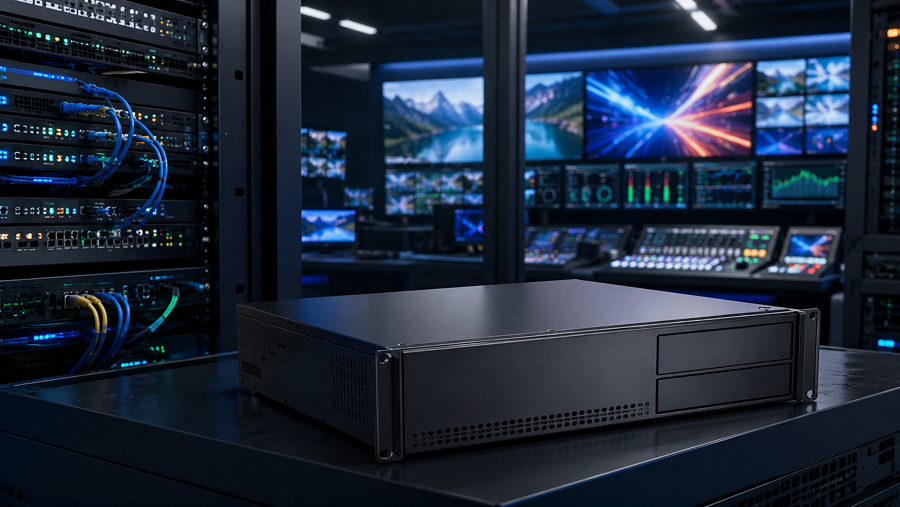
ST 2110 video pipeline on NVIDIA Rivermax / Mellanox with GPU-accelerated processing
Typical ST 2110/NMOS Validation Tasks

PTP timing validation
Confirming grandmaster hierarchy, boundary clock placement, domain consistency, and offset/path-delay stability as a time-series under realistic topology, not a single snapshot.
Multicast and QoS audit
Verifying IGMP snooping, querier placement, group joins, and QoS marking behavior under contention across every switch in the media path.
Buffer and pacing analysis
Measuring switch and receiver buffer behavior against bursty production traffic, and checking sender packet pacing across the frame interval.
NMOS control-plane testing
Exercising IS-04 registration, heartbeat, garbage collection, and IS-05 connection re-activation through cable pulls, reboots, and registry failover, including mixed-vendor behavior.
You May Be Facing This If:
- The workflow is clean at startup and loses audio sync 30–60 minutes into live production.
- One receiver in an otherwise identical set drops frames, and swapping the hardware changes nothing.
- The system validated for days at partial channel count and degrades intermittently at full count.
- A device shows as registered and connected in NMOS, but no media is flowing.
- Discovery works reliably, yet connections fail or fail unpredictably between vendors.
- Sync problems appear only after a reboot, cable pull, or registry failover — never during steady-state.
- Everything is green on every individual device dashboard while production is visibly impaired.
Real Trade-offs to Expect
- Boundary clocks everywhere vs. a simpler timing topology. More boundary clocks improve scalability and isolate PTP traffic, but each one is another device that can recover slightly off and another link in the drift chain. Fewer hops are easier to reason about but harder to scale.
- Bigger receiver buffers vs. lower latency. Deeper buffers absorb jitter and tolerate bad pacing, at the cost of added end-to-end latency. Tight buffers hit aggressive latency targets but leave no margin when a switch re-clumps packets.
- DPDK / Rivermax kernel-bypass vs. standard networking stacks. Kernel bypass and zero-copy paths buy deterministic pacing and free the CPU, which is what holds jitter flat at high stream counts — but they add architectural coupling and demand specialized engineering. The standard stack is simpler and will not hold timing at scale.
- Aggressive vs. conservative NMOS garbage collection. A short stale-timeout clears dead resources fast and keeps the registry honest, but risks evicting a node that blipped offline for a moment. A long timeout survives transient drops but lets stale “registered but not connected” state linger. Some systems prefer a longer interval before removing nodes that fail to heartbeat, which buys time to alert an operator before an outage — the right choice depends on how your facility recovers.
- Single-vendor stability vs. multivendor flexibility. One vendor minimizes interoperability seams and ships faster, at the cost of lock-in. Open ST 2110/NMOS and IPMX buy freedom of choice and pay for it in integration and validation effort. There is no free version of this trade.
Where Integration Becomes a System Architecture Problem
At this point the issue is not a setting on one box. It is the interaction between timing, network behavior, buffering, and control-plane state under conditions the standard does not specify and the demo did not test.
What this means in practice: validate PTP as a time-series under realistic topology, separate and stress-test the multicast and QoS planes at production traffic, exercise NMOS IS-04/IS-05 through disruption rather than discovery alone, and engineer packet pacing and buffering at the points — FPGA bridges, kernel-bypass transport — where determinism actually has to live.
The same full-load validation has to continue inside the endpoint itself. FPGA and MPSoC pipelines feeding ST 2110 can remain perfectly stable in a single-flow bench test yet fail once deterministic media processing, processor-side workloads, shared memory, clock-domain crossings, and packetization all run concurrently at production channel count. In that case, the visible symptom may appear on the network, while the actual limit sits inside the device architecture or the production board.
None of those are demo activities. All of them are the difference between a workflow that passes acceptance and one that stays on air. For the transport layer specifically, low-latency IP transport and FPGA-based video and audio processing are where that determinism is built.
This is the work of moving from “the standard is implemented” to “the facility is stable.”
FAQ
Why does my ST 2110 workflow pass the vendor demo but fail in the facility?
Is the audio drift after 40 minutes a sound problem or a timing problem?
NMOS shows the device as registered and connected, but there is no media. Why?
Do PTP and multicast really need that much attention, or is the network good enough?
Does IPMX make multivendor integration easier or harder than broadcast ST 2110?
Can you join a migration that is already in trouble?
Related Engineering Cases
- IPMX-Based Video Distribution: Open, low-latency AV-over-IP for ProAV built on IPMX + NMOS + PTP, with multivendor interoperability validation and predictable commissioning.
- Low-Latency IP Transport: DPDK and NVIDIA Rivermax kernel-bypass transport, zero-copy paths, and packet pacing for deterministic delivery.
- FPGA-Based Video & Audio Processing: Deterministic buffering and sync at the SDI-to-IP bridge, where CPU scheduling jitter is unacceptable.
- High-Speed OpenGear Cards for Multi-Camera Broadcasting: FPGA-based SDI-to-IP conversion under ST 2110 for real-time multi-camera capture.
- FPGA-Based Video Decoding for Public Transport HMI: Deterministic decode and output timing for embedded display systems.